Vertagear PL4800 Review: HygennX Big & Tall RGB Chair
By Aisha Karim • 23rd Aug
Bottom line
The Vertagear PL4800 is a qualified option for taller, larger users who prioritize a wide seat, 4D armrests, and a grippy fabric-like surface—but its comfort is not universally proven. Check your seated dimensions and desk alignment before ordering.
- Best for: Users within the stated 5 ft 9 in–6 ft 6 in range who need a 360 lb-rated chair and value adjustable armrests. View on Amazon
- Skip it if: You routinely experience knee-edge pressure, need independently validated lumbar comfort, or expect RGB lighting to be included without checking the current package contents.
- Main limitation: One month-long independent testing found praised materials and armrests but also stiff padding, behind-the-knee pressure, and lumbar discomfort.
Important: Verify current return, warranty, accessory, and specification details before purchase; published recline figures and warranty coverage differ between sources.
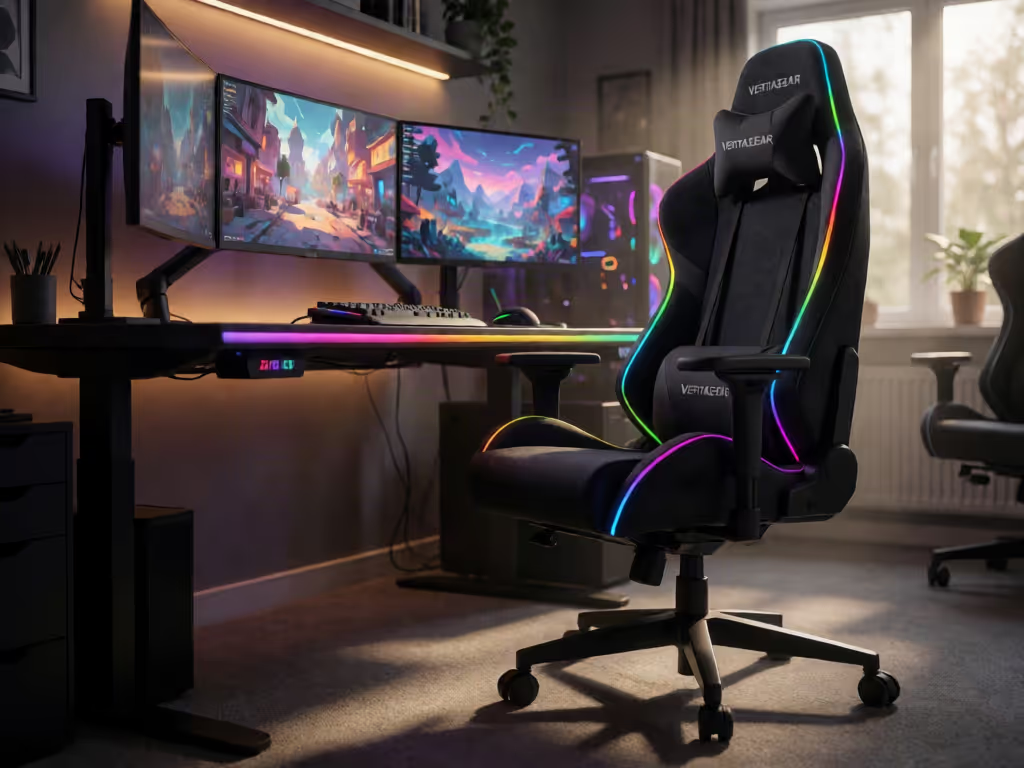
This Vertagear PL4800 review examines the chair as a fit-and-load-management system rather than an RGB prop. The central questions are whether its 545 mm/21.5 in seat width, 450 mm/17.7 in seat depth, 4D armrests, and stated 163 kg/360 lb maximum load suit your body and desk, and whether its HygennX surface is a meaningful comfort advantage in a long, warm session. One clarification matters immediately: when checked, Vertagear listed the RGB LED kit separately rather than as part of the chair package. Verify the current package contents before ordering.
The PL4800 is aimed at the large/tall end of gaming-chair fit, with a manufacturer-recommended height range of 175-198 cm (5 ft 9 in-6 ft 6 in), making it worth comparing with other big and tall gaming chairs. That range is a useful first filter, not proof that the chair will fit your femur length, shoulder breadth, desk height, or preferred posture. Those variables determine whether a chair redistributes load over a session, or turns the underside of your thighs and lower back into the limiting factor.
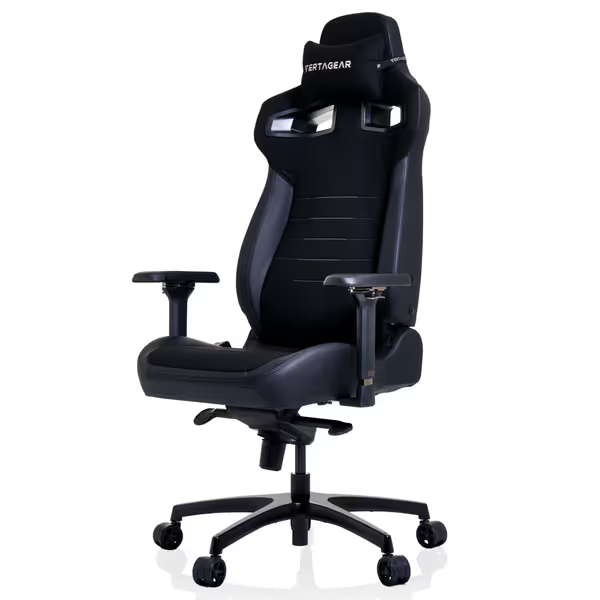
Vertagear PL4800 Ergonomic Gaming Chair
Adaptive ergonomics for large builds, optimizing comfort and posture.
$485.42
0Frame Warranty10-Year Steel Frame
Frame Warranty10-Year Steel Frame
Pros
Patented ContourMax lumbar adapts to your back
VertaAir Seat reduces pressure points with air pillars
Cons
RGB LED kit sold separately
Review Method: What the Specifications Can, and Cannot, Tell You
A reproducible chair assessment begins with test variables: session duration, clothing, room temperature, desk height, input device, and posture.
For the PL4800, the available evidence includes manufacturer dimensions and features plus one independent hands-on review conducted over approximately one month on a Black and Carbon unit. That reviewer praised materials, the armrest adjustment, wheel glide, and surface traction. The same reviewer found the padding stiff, experienced pressure behind the knees at the lowest seat height, and reported discomfort from the fixed lumbar area during extended use.
That mixed result is more useful than a blanket "comfortable" label. Pressure maps don't lie; your body writes the spec sheet. A stated big-and-tall fit range does not override what happens when your knees, pelvis, and lumbar curve meet a specific seat pan and backrest.
The PL4800 at a glance
| Decision variable | What is established | What it means in practice |
|---|---|---|
| Recommended height | 175-198 cm / 5 ft 9 in-6 ft 6 in | A starting screen for taller users, not an individualized fit guarantee. |
| Maximum load | 163 kg / 360 lb | A load specification, not evidence that every larger-bodied user will have adequate thigh, shoulder, or lumbar clearance. |
| Seat width | 545 mm / 21.5 in | More relevant than a height label for hip and thigh clearance. |
| Seat depth | 450 mm / 17.7 in | Moderate on paper; confirm it leaves a comfortable gap behind your knees. |
| Shoulder-back width | 550 mm / 21.6 in | Relevant for broad shoulders and for whether the side contours contact you. |
| Armrests | 4D | Potentially useful for dialing in mouse, keyboard, and controller support. |
| Backrest adjustment | Up to 140° stated by Vertagear | An independent 2023 test described 160° on its unit; treat the difference as unresolved rather than assuming either figure applies to every chair. |
| Tilt lock | Four positions | Gives discrete, rather than continuously variable, resting points. |
Fit First: Is the PL4800 Actually a Big and Tall Gaming Chair for You?
The PL4800's broad-label positioning is credible in a narrow sense: it has a stated 360 lb/163 kg load limit and a 5 ft 9 in-6 ft 6 in recommended height band. But "big and tall gaming chair" is not a body measurement. A user can fall within both numbers and still have poor fit because the front edge contacts the popliteal area behind the knees, the lumbar contour lands too high or low, or the shoulder wings crowd the upper torso.
Seat depth: the highest-priority check
Use the 450 mm/17.7 in seat depth as your reference. Sit all the way back, with the lumbar region in contact with the backrest, and assess the space between the front edge and the back of the knee. You want clearance rather than a hard edge pressing into that area.
This is not a minor comfort preference. In the independent month-long test, a reviewer who was 5 ft 10 in (inside Vertagear's stated height range) reported pressure behind the knees at the lowest height setting. That does not establish that every similarly sized user will have the same experience. It does establish that height alone is insufficient for screening the PL4800.
The practical lesson here is direct: measure your usable thigh length and make knee clearance your non-negotiable check.
Width and backrest contour
At 545 mm/21.5 in wide, the seat offers a stated measurement worth comparing against your seated hip and thigh width. Do not use the 360 lb rating as a substitute for this comparison. Load capacity answers one structural question; clearance answers a different one.
The backrest measures 550 mm/21.6 in at the shoulders. For broad-shouldered users, that may be a sensible dimension to assess before purchase. For users who dislike racing-chair side contours, however, the key unknown is not simply shoulder width. It is whether the contours match your torso shape during both upright work and reclined controller play.
Lumbar support: adjustable label, individualized result
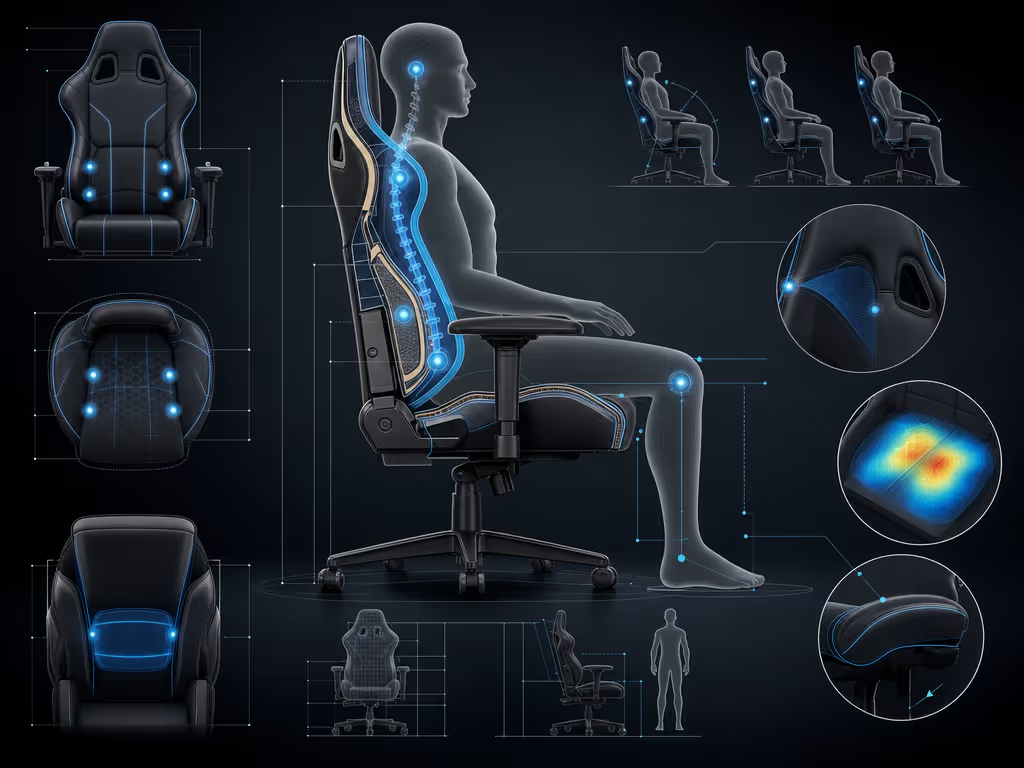
Vertagear markets the PL4800 with its ContourMax lumbar system.
The independent reviewer's report creates an important counterweight: they found the lumbar area fixed in practice and uncomfortable after many hours. The accurate conclusion is that the PL4800 includes a ContourMax lumbar system, but there is no broad body-type dataset showing that it aligns well across users.
If your current chair's lumbar bulge regularly hits the wrong spot, do not purchase this model solely because "ContourMax" sounds adaptive. Try the chair where possible, or buy only under return terms you have read closely. Check the policy before opening the box, particularly when return freight would be costly.
Adjustment Analysis: Where the PL4800 Is Strongest
A 4D armrest gaming chair for desk alignment
The PL4800 is a 4D armrest gaming chair. Vertagear states that the armrests adjust in four directions. In the independent test unit, the reviewer observed five fixed height stages across 2.75 in, about 30° of inward/outward swivel, and three width positions.
Those controls matter because armrest fit has a direct workflow consequence: unsupported forearms encourage shoulder elevation, while arm pads set too high can force the shoulders upward. For keyboard-and-mouse play, set the chair height and armrests so your forearms can approach desk level without lifting your shoulders. For controller use, move the pads inward enough to support the forearms without blocking a neutral grip.
The reviewer specifically praised the armrest adjustability, which is a meaningful positive finding, although it remains one user's experience on one configuration. There is no evidence here for a universal "best armrest" conclusion.
Recline and tilt: separate the two decisions
Vertagear states that the backrest adjusts up to 140°, and the chair has four tilt-lock positions. A 2023 independent review described a 160° maximum recline on its test chair. Since the reason for that difference is not established, buyers should not make a purchase decision around a precise recline number without confirming the current product specification.
For use, treat recline and tilt as separate controls:
- Focus posture: Start upright or only slightly reclined, then use the armrests to meet the desk.
- Relaxed RPG/MMO posture: Use a more open backrest angle only if your head, neck, and forearms remain supported.
- Micro-adjustment rule: Change one variable at a time (seat height, armrest height, or recline), and test for 20-30 minutes before changing another.
- Do not chase a posture: If the lumbar contour or knee edge keeps demanding compensation, the chair is not resolving the underlying fit mismatch.
Materials and Heat: What HygennX Does, and Does Not, Prove
The PL4800 uses a steel frame, memory foam, UPHR foam, PUC leather, coffee-ground fiber, and an aluminum-alloy five-star base. Because upholstery affects heat, grip, and maintenance, compare the PL4800's materials with the trade-offs covered in our mesh vs faux leather gaming chair guide. Vertagear describes the HygennX upholstery as velvet fabric infused with patented coffee-ground nanotechnology. The company further claims natural odor control and quick drying, while describing silver-coated embroidery as helping neutralize bacterial growth.
That language needs disciplined interpretation. HygennX coffee fiber padding is often treated as shorthand for a cooler, more hygienic chair, but the available evidence does not include independent laboratory testing of odor reduction, antimicrobial performance, heat reduction, or long-term material durability. These remain manufacturer claims.
The most useful independent observation is narrower: the reviewer found the surface Alcantara-like and said it provided more traction than pleather. More traction can be valuable for gamers who slide forward during concentrated play. It does not, by itself, demonstrate lower heat accumulation.
If thermal comfort is your primary buying criterion, apply a simple home protocol after delivery:
- Test on two comparable sessions of at least 90 minutes.
- Keep room temperature, clothing, and game type consistent.
- Note when you first feel back or thigh warmth, then reassess at 30-minute intervals.
- Compare upright and reclined use, because contact area changes the thermal result.
- Record whether discomfort is heat, surface stickiness, pressure, or all three; these are different problems.
A chair should reduce the distractions created by load and heat, not add another variable to manage mid session.
RGB Headrest Kit: Verify the Add-On Before Buying
When checked, Vertagear listed the PL4800 RGB LED kit as a separately sold add-on. Recheck its availability and the current package contents before buying. If you are weighing Vertagear's larger RGB-enabled models, our Vertagear PL4800 vs PL6800 fit guide compares their sizing, lumbar systems, seat designs, and lighting options. Vertagear states that the lighting system offers wireless PC control, 16.8 million colors, audio/gameplay sync, and custom-logo capability. The evidence available does not establish installation steps, power requirements, software support, compatibility details, or independent performance of those functions.
Therefore, buy the chair on its fit and adjustment case first. Add lighting only if you have confirmed current availability, current pricing, the exact components included, and installation requirements. A historical 2023 review considered the cost of fully equipping the chair with RGB a major value drawback, but those accessory prices are not evidence of today's cost.
For streamers, the practical trade-off is straightforward: lighting may improve the on-camera presentation, while the chair itself still has to meet your knee-clearance, lumbar, and arm-support requirements off camera.
Build, Movement, and Warranty Context
The independent reviewer praised the PL4800's materials and described the wheels as smooth and quiet in use. That is encouraging for a shared room or a microphone-sensitive streaming setup, but it is not a multi-year reliability result. There is no substantial long-term evidence here for foam compression, upholstery wear, mechanism reliability, or broad durability outcomes.
When checked, Vertagear stated a 10-year warranty for the steel frame and coverage of chair parts for up to five years, excluding natural wear of PVC or fabric. Warranty terms can change, and an older independent review described different non-frame coverage. Verify the current warranty language at checkout, including exclusions and the process for a damaged or misaligned part.
Verdict: Who Should Consider the PL4800?
This is a qualified, fit-dependent purchase, not a universal recommendation. The Vertagear PL4800 has several credible decision points for taller and larger users: a stated 175-198 cm (5 ft 9 in-6 ft 6 in) fit range, 163 kg/360 lb load rating, 545 mm/21.5 in seat width, 4D armrests, and four tilt-lock positions. When checked, Vertagear also listed RGB lighting as a separately sold add-on; confirm current availability and package contents if that feature matters to you. Its HygennX finish may appeal if you prefer a more tactile, less slippery surface than pleather.
However, the available independent comfort evidence is mixed. The same review that praised material quality, armrest adjustment, and quiet wheels also documented firm padding, behind-the-knee pressure, and lumbar discomfort during extended use. That matters especially for buyers with shorter femurs relative to their height, sensitivity at the knee edge, or a history of disliking pronounced lumbar shaping.
Consider it if
- You are within the stated 175-198 cm / 5 ft 9 in-6 ft 6 in height band and the 450 mm/17.7 in seat depth is likely to leave knee clearance.
- You need a wider stated seat measurement and a manufacturer-stated maximum load of 163 kg/360 lb.
- You value 4D armrest positioning for keyboard/mouse or controller alignment.
- You want a lighting add-on and are willing to confirm its current availability and package details separately.
- You prefer a grippier fabric-like feel to conventional faux leather, while accepting that cooling and odor-control claims are not independently validated here.
Pause before buying if
- You are below 175 cm/5 ft 9 in or commonly find seat fronts press behind your knees.
- You need highly predictable, independently tested lumbar behavior.
- You are purchasing primarily for a verified cooling benefit.
- You expect RGB hardware to be included without confirming the current package contents.
- You are unable to confirm current return, accessory, and warranty terms before purchase.
Actionable Next Step: Run a Two-Minute Fit Screen
Before ordering, measure your seated hip/thigh width and your buttock-to-back-of-knee distance in the shoes you use at your desk. Compare those numbers with the PL4800's stated 545 mm/21.5 in width and 450 mm/17.7 in depth. Then measure your desk and armrest relationship: can your elbows rest near desk height without your shoulders rising?
If the seat depth leaves clear knee space, the width accommodates you without side pressure, and 4D armrest adjustment solves a real desk-alignment problem, the PL4800 is worth shortlisting. If any one of those checks fails, do not let the big-and-tall label or a separately listed RGB add-on override the geometry. Confirm current accessory details, then put fit first and aesthetics second.
Related Articles
Reviews & Buying Guides: Brands, Models & Roundups
ThunderX3 Solo 360 Review: Best Budget Gaming Chair
Discover how 6D armrests, real height range, and a stable base fix budget-chair posture and steady aim, plus setup tips and honest heat trade-offs.