Gaming Chair Size Chart Explained: Choose the Right Fit
By Jamal Okoye • 25th Sep
What to do
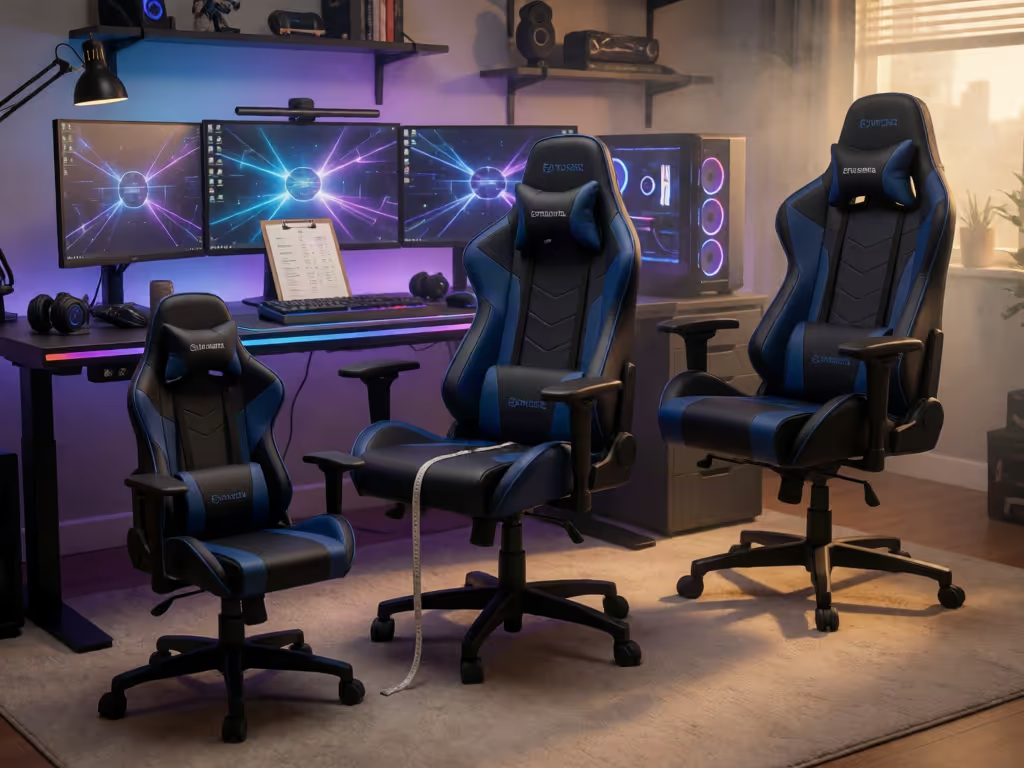
Choose a gaming chair by matching your measurements and workstation—not by trusting labels such as “regular,” “large,” or “one size fits most.” Compare the maker’s dimension definitions, usable seating space, and adjustment ranges before narrowing your shortlist.
- Start with: Measure seated hip width, thigh length, elbow height, shoulder breadth, and seated back height. Keep these figures beside each chart.
- Then: Check whether width means usable flat seating space, record seat-height and other adjustment ranges, and compare them with your desk and control position.
- Important prerequisite: Do not assume labels, capacity ratings, or a 29-inch desk imply a universal fit. If measurements or testing details are unclear, ask the manufacturer before deciding.
A gaming chair size chart explained properly is less about finding a label that sounds like you and more about matching clearly defined dimensions to your body and setup. If you are wondering how to choose gaming chair size, start with your measurements; let specs narrow the field. Height can be a useful starting point, but it is not a complete fit profile. Comfort is data, especially when you game, stream, or work in the same chair for hours.
I came to this approach after too many hour-two sessions spent rearranging cushions instead of reading the chart. A chart can help you identify whether a maker has clearly defined the dimensions and adjustment ranges you need to compare before a large box arrives at your door.
Treat the size label as a starting filter. Treat the manufacturer's defined dimensions and adjustment ranges as the decision material.
Step 1: Ignore the label until you find its definitions
A chair may be marked "regular," "large," or "one size fits most." The available evidence does not establish a shared, cross-brand definition for those terms. That does not make a label useless; it means the label alone is incomplete.
For example, one manufacturer labels two different models "Regular" and "One size fits most," while listing separate adjustment information for them. The practical lesson is simple: a fit label should be read alongside the chart, not instead of it.
Anthropometric reference data varies considerably between regional populations. Rather than trying to convert a label into a universal body-size category, ask these questions on every product page:
- What exactly does the maker mean by seat width?
- Is seat height shown as an adjustable range or as one number?
- Are backrest, armrest, and tilt adjustments listed with their ranges or only named?
- Does the chart explain how each dimension was measured?
If those definitions are missing, you have less information than the polished size badge suggests.
Step 2: Take four simple measurements before comparing charts
You do not need a lab setup. A tape measure, a firm chair, and a few minutes are enough to create a useful personal reference sheet. Measure while wearing the clothing you typically game or work in.
1. Seated hip width
Sit normally on a firm, flat surface. Measure the widest horizontal span of your hips and upper thighs. Record the number, then look for the chair's usable seating width (not merely the widest point in the shell).
2. Seated thigh length
Measure from the back of your body where it meets the chair to the back of your knee. This gives you a reference when reading a listed seat-depth measurement. Do not assume two brands measure depth from the same points; check the diagram or ask the seller. For a more detailed method, use this gaming chair seat depth measurement guide to compare your thigh length with a chair's usable seat depth.
3. Seated elbow height
Sit at your actual desk or gaming surface with your usual keyboard, mouse, or controller position. Measure from the seat surface to the underside of your elbow. Use it to compare the chair's stated armrest-adjustment information, if supplied.
4. Shoulder breadth and seated back height
Measure across the shoulders and then from the seat surface upward to your shoulder area. These numbers help you inspect whether a backrest's published height and shape are plausible for you. They are not a universal pass/fail test; use them to create questions for the manufacturer when the diagram is vague. Petite gamers may need especially careful checks of seat depth, backrest height, and minimum seat height; see this petite gaming chair fit guide for more body-specific guidance.
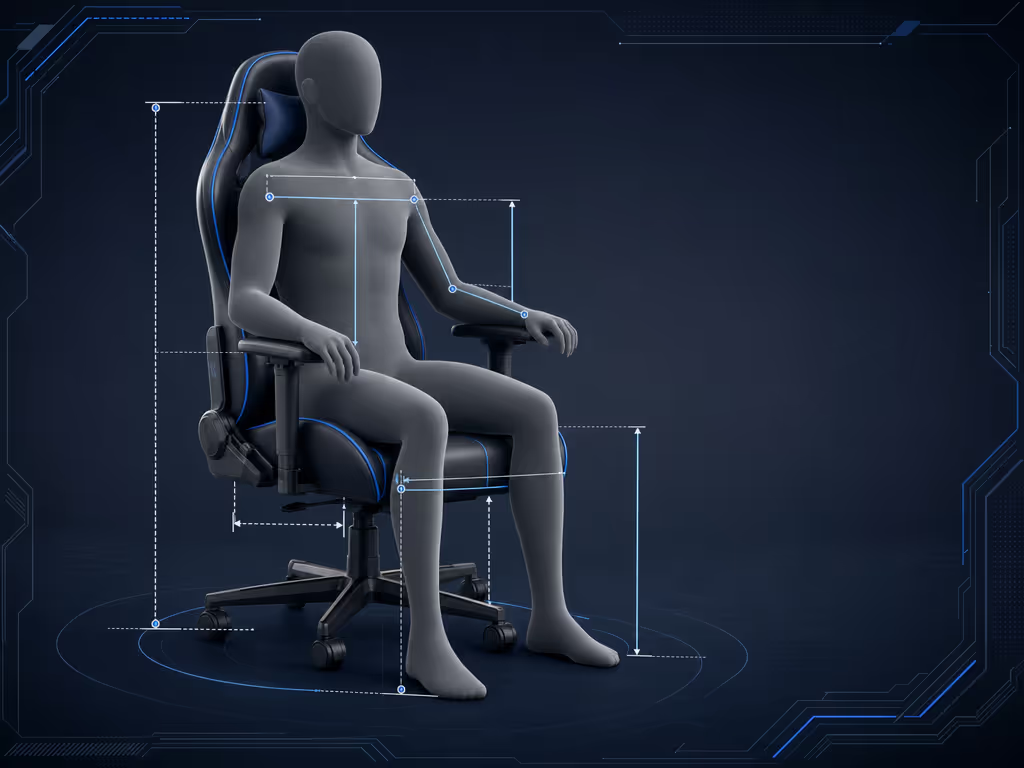
Keep your measurements in a note beside your desk. You are not trying to fit yourself into a category. You are building a repeatable way to compare charts.
Step 3: Read seat width as usable space, not headline space
The most easily misunderstood number in a gaming chair size guide is seat width. Some chairs have raised side bolsters, and manufacturers may measure width differently. Blacklyte, for example, says its advertised seat width can include side bolsters and that the flat usable area can be 2-4 inches narrower. That is manufacturer guidance, not a rule to apply automatically to every chair.
Your job is to verify the definition on the specific chair you are considering.
Use this chart-reading checklist
- Look for wording such as usable width, flat seating area, or between bolsters.
- Compare that number with your seated hip-width measurement.
- If the page gives only one width, inspect its dimension drawing for the measurement endpoints.
- If the drawing is unclear, ask: "Is this width measured across the flat seat surface or across the outer bolsters?"
An open, clearly measured seat front is information I value highly because it makes the comparison more transparent. The goal is not to chase the largest advertised number; it is to understand the space you will actually occupy. If you are comparing chairs for a larger or taller frame, this body-specific gaming chair fit guide adds further guidance on dimensions such as seat depth, backrest height, and weight capacity.
Step 4: Compare seat height with your desk as one system
A chair does not fit in isolation. Its seat-height adjustment belongs in the same decision as your desk height and input position.
When comparing a chair, record the manufacturer's stated minimum and maximum seat height. Once you have found a suitable range, use this optimal gaming posture and monitor adjustment guide to fine-tune the chair, desk, and screen relationship. Then sit at your own desk and identify the seated position where your elbows are comfortable relative to your controls. This gives you a real setup reference rather than a guess based on your standing height.
Be cautious with universal formulas for a 29-inch desk. University of British Columbia guidance notes that a desk unable to go below 29 inches can sit above elbow height for nearly all users, but it does not prescribe one chair-height setting for a 29-inch desk. Your chair setting depends on your own seated position and the desk's fixed or adjustable height.
If your desk is adjustable, its available range matters too. UBC recommends a broad adjustable-desk range intended to fit a wide portion of users; that context reinforces the bigger point: chair and desk dimensions should be evaluated together.
Step 5: Put adjustment ranges in your comparison sheet
A chair can list "adjustable" features without showing how much adjustment you actually have. Prefer charts that state the range and explain the control.
DXRacer's buying guidance identifies height, armrest, backrest, and tilt-angle adjustment as features to consider. Use those as headings in your worksheet:
| Chart field | What to record |
|---|---|
| Seat-height adjustment | Minimum, maximum, and how the maker measures it |
| Armrest adjustment | The adjustment types and ranges explicitly listed |
| Backrest information | Published height, adjustment details, and measurement diagram |
| Recline/tilt | Stated angle range and lock information, if provided |
| Rocking mode | Stated range, if the chair has one |
Do not fill gaps with assumptions. As an example of how specific these fields can be, Blacklyte lists a 90°-149° recline range and a 0°-14° rocking range for two named models. Those figures describe those models only; they are not targets every chair must meet.
For your own shortlist, the useful comparison is not "which number is biggest?" It is "which maker explains the adjustment I will actually use at my desk?"
Step 6: Read a weight limit as a separate specification
Gaming chair weight limit explained: a listed capacity is one specification, not a complete size chart. Keep it in its own column beside seat width, seat height, and adjustment information.
If capacity is important to your decision, look for the maker's explanation of the applicable test method or standard. Chair testing can distinguish static loading from dynamic testing, which uses repeated sit/stand cycles, but the available evidence does not validate gaming-chair capacity ratings or establish a universal safety margin. That is why the most useful product page is one that provides its capacity figure and clear dimension definitions, adjustment ranges, and testing context. For a deeper explanation of how safety standards can help you evaluate chair quality, read this guide to BIFMA certification for gaming chairs.
Step 7: Make a shortlist only after the chart passes your checks
Before buying, reduce each candidate to a one-page fit record:
- Your measurements: seated hip width, thigh length, elbow height, shoulder breadth, and seated back height.
- The chair's definitions: usable versus overall seat width; how depth and height are measured.
- The chair's ranges: seat height, armrest adjustment, backrest information, recline, and rocking details where stated.
- Your workstation context: desk height, control position, and whether the armrests need to fit within your desk setup.
- Your unanswered questions: anything the chart fails to define.
This process will not produce a one-size-fits-all answer (and that is a strength, not a failure). It replaces a vague "Will this fit me?" with a short, answerable list of comparisons.
FAQ
How tall should a chair be for a 29-inch desk?
There is no single chair-height setting supported by the available guidance. Set up at your own desk and compare the chair's published seat-height range with your seated elbow position and controls. A 29-inch desk may be above elbow height for many users, so chair height should be considered as part of the full workstation rather than chosen from a universal number.
What should I look for when buying a gaming chair?
For fit, prioritize measurement definitions, usable seating width, published adjustment ranges, and the relationship between the chair and your desk. If capacity matters, seek an explanation of how the maker states or tests it rather than treating the number as a full picture of fit.
Keep Exploring Your Fit
The best next step is not browsing more labels; it is collecting clearer numbers. Measure yourself once, photograph or save each chair's dimension diagram, and contact the seller when "seat width" or "adjustable" is left undefined. Each answer turns an uncertain purchase into a more confident shortlist, built around your body and your setup.
Related Articles